Best IPTV Devices for 4K Streaming in 2026: Smart TVs, TV Boxes and Streaming Sticks Compared
Introduction
Navigating the modern television landscape in 2026 can feel overwhelming. With thousands of live channels, high-definition sports broadcasts, and extensive video-on-demand (VOD) libraries available at your fingertips, having a reliable internet television setup is more exciting than ever. However, one critical question continuously surfaces for both beginners and experienced cord-cutters alike: what are the best IPTV devices for 4K streaming?
A widespread misconception among consumers is that achieving flawless, buffer-free playback simply requires purchasing the most expensive hardware on the store shelf. In reality, choosing the best device for IPTV is a multi-dimensional decision. A streaming device acts as the processing engine for your entertainment system. It decodes complex video streams, renders Electronic Program Guides (EPGs), manages wireless or wired data packets, and executes the user interface of your chosen IPTV player app.
Selecting the right IPTV 4K streaming device requires balancing several essential technical factors:
- 4K Video Decoding: The hardware's ability to decode high-bitrate Ultra HD video feeds natively.
- HDR Format Support: Compatibility with High Dynamic Range standards like HDR10, HDR10+, and Dolby Vision.
- Processor Performance: CPU and GPU power required for fast app launches and instant channel zapping.
- System RAM: Memory capacity needed to store channel databases and cache live video buffers.
- Wireless and Wired Connectivity: Wi-Fi standard capabilities (Wi-Fi 5, Wi-Fi 6, Wi-Fi 6E) and physical Ethernet availability.
- Application Availability & Operating System: Access to official app stores (Google Play, Apple App Store, Amazon Appstore, Tizen, webOS).
- IPTV Player Compatibility: Support for leading player applications such as TiviMate, IPTV Smarters Pro, and XCIPTV.
- Ease of Setup and User Interface: Intuitive navigation and comfortable remote control design.
- Long-Term Software Support: Frequency of operating system updates, security patches, and DRM certifications.
- Price Category: Total value proposition across budget, mid-range, and premium price tiers.
Ultimately, there is no single hardware choice that is universally superior for every individual. The ideal setup for a bedroom television connected via Wi-Fi may look entirely different from a dedicated home theater system wired via Cat6 Ethernet. At iScreenHD IPTV, our service is engineered for universal compatibility. In this comprehensive buying and comparison guide, we will evaluate the best IPTV devices available in 2026 to help you make an informed decision tailored to your TV, home network, and budget.
Best IPTV Devices 2026
What Makes a Good IPTV Device in 2026?
Before comparing specific brand models, it is essential to understand the underlying technical specifications that dictate performance. When evaluating a 4K IPTV device, headline marketing labels can be deceiving. Here is what truly matters inside the hardware.
4K Resolution Support
Video resolution defines the visual clarity of your stream:
- High Definition (HD / 720p): Standard broadcast resolution suitable for smaller screens.
- Full HD (FHD / 1080p): Crisp broadcast quality at 60 frames per second (fps), ideal for live sports.
- 4K Ultra HD (UHD / 2160p): Four times the resolution of Full HD (3840 x 2160 pixels), delivering breathtaking detail on screens 50 inches and larger.
It is vital to clarify a common misunderstanding: owning a 4K-capable streaming device does not automatically transform every stream into native 4K. A 4K streaming stick provides the physical hardware decoder required to display 4K signals. However, the stream source broadcast by the IPTV provider must also originate in true 4K resolution. Using a 4K device ensures your hardware will never bottleneck high-bitrate broadcasts when they are transmitted.
HDR Support
High Dynamic Range (HDR) enhances picture quality by expanding the contrast ratio between the brightest whites and deepest blacks, alongside a wider color gamut:
- HDR10: The open, baseline HDR standard supported by virtually all 4K televisions and streaming devices.
- HDR10+: A dynamic metadata standard that adjusts brightness levels on a scene-by-scene basis.
- Dolby Vision: Premium dynamic HDR technology that optimizes picture settings frame-by-frame for ultra-vivid visual depth.
For HDR to function correctly, every link in your playback chain—the IPTV stream, the streaming device, the HDMI cable, and the television display—must support the specific HDR format.
Video Codec Support
Video codecs are compression algorithms used to transmit high-definition video over the internet without consuming excessive bandwidth:
- H.264 (AVC): The legacy compression standard widely used for standard and high-definition broadcasts.
- H.265 (HEVC): High-Efficiency Video Coding, which delivers 4K video using half the bandwidth of H.264. Hardware-level HEVC decoding is mandatory for any modern best IPTV device for 4K.
- AV1: The next-generation, open-source video codec that offers superior compression efficiency compared to HEVC. Devices equipped with AV1 hardware decoding future-proof your setup for upcoming broadcast standards.
Hardware decoding allows the device's graphics processor (GPU) to uncompress video data directly, preventing the main processor (CPU) from overheating or dropping frames during intense action sequences.
Wi-Fi and Ethernet
Network stability is far more important than raw speed. A device that receives a fluctuating 200 Mbps over poor Wi-Fi will experience buffering, whereas a device receiving a rock-solid 35 Mbps over Ethernet will stream flawlessly.
- Wi-Fi 5 (802.11ac): Adequate for 1080p and compressed 4K streaming over moderate distances.
- Wi-Fi 6 / 6E (802.11ax): Features higher throughput, lower latency, and superior performance in crowded wireless environments.
- Physical Ethernet (RJ45): Connects directly to your router. A wired connection eliminates wireless interference, minimizes packet loss, and reduces jitter to near zero.
Processor and RAM
System memory and processing power directly dictate how snappy your IPTV interface feels:
- System RAM: We recommend a minimum of 2 GB of RAM for smooth 4K streaming. Devices with 3 GB or 4 GB of RAM can cache larger channel playlists (50,000+ items), load Electronic Program Guides instantly, and switch between live TV and VOD without reloading.
- CPU / GPU: Multi-core processors ensure quick app launching, instant channel zapping, and smooth UI animations.
Best IPTV Devices for 4K Streaming in 2026
Based on rigorous real-world testing, hardware efficiency, software stability, and app compatibility, here is our ranked comparison of the best streaming devices for IPTV available in 2026.
1. Amazon Fire TV Stick 4K Max (2nd Gen) & Fire TV Cube
The IPTV Firestick lineup remains the most popular choice globally due to its exceptional price-to-performance ratio. The 2nd Generation Fire TV Stick 4K Max features a fast 2.0 GHz quad-core processor, 2 GB of RAM, 16 GB of storage, Wi-Fi 6E support, and full hardware decoding for AV1, HEVC, and Dolby Vision. For heavy power users, the flagship Fire TV Cube adds built-in Ethernet, an octa-core processor, and hands-free Alexa voice control.
2. Apple TV 4K (3rd Gen)
For users within the Apple ecosystem or those seeking unmatched processing speed, the IPTV Apple TV 4K is an extraordinary premium device. Powered by the enterprise-grade A15 Bionic chip, Apple TV 4K renders complex IPTV player interfaces effortlessly. The Ethernet + Wi-Fi model features a Gigabit Ethernet port, thread networking, and system-wide Dolby Vision and HDR10+ support. Its tvOS operating system is remarkably fluid, clean, and free of banner advertisements.
3. Google TV Streamer & Chromecast with Google TV 4K
Google's dedicated streaming lineup—including the flagship Google TV Streamer and the classic Chromecast with Google TV 4K—delivers a pristine IPTV Google TV experience. Running on certified Android TV OS, these devices provide native access to the Google Play Store, seamless Google Assistant integration, and broad player compatibility. The Google TV Streamer includes an integrated Ethernet port, 32 GB of storage, and 4 GB of RAM, making it a formidable mid-range desktop streaming hub.
4. NVIDIA SHIELD TV Pro
The NVIDIA SHIELD TV Pro continues to stand as an iconic benchmark for high-end IPTV Android TV box hardware. Driven by the custom NVIDIA Tegra X1+ processor, the SHIELD TV Pro offers revolutionary AI-enhanced 4K upscaling, 3 GB of RAM, dual USB 3.0 expansion ports, and native Gigabit Ethernet. It handles massive M3U playlists and multi-view live sports streaming without breaking a sweat.
5. High-Quality Certified Android TV Boxes
Beyond flagship streaming sticks, dedicated certified Android TV boxes (such as models from Mecool, Dune HD, and Nokia) offer excellent mid-tier performance. These devices run official Android TV OS, include built-in Ethernet ports, expand storage via USB, and feature certified Widevine L1 DRM for high-definition playback across all streaming platforms.
6. Compatible Smart TVs
Modern 4K IPTV Smart TV platforms—including Samsung Tizen, LG webOS, and integrated Google TV models from Sony, TCL, and Hisense—allow users to access live television directly using their TV's native remote control. While convenient, Smart TV performance varies significantly based on television age and processor specifications.
Best IPTV Devices Compared
To help you evaluate hardware options at a glance, here is a detailed technical comparison table of leading 2026 streaming devices:
| Device Model | 4K Support | HDR Formats | Wireless Spec | Ethernet Port | IPTV App Flexibility | Best For | Price Category |
|---|---|---|---|---|---|---|---|
| Amazon Fire TV Stick 4K Max | 4K @ 60fps | HDR10+, Dolby Vision | Wi-Fi 6E | Adapter required | High (Amazon / Sideload) | Best overall value & budget 4K | Budget |
| Apple TV 4K (Wi-Fi + Ethernet) | 4K @ 60fps | HDR10+, Dolby Vision | Wi-Fi 6 | Built-in Gigabit | Moderate (Apple App Store) | Best UI speed & Apple users | Premium |
| Google TV Streamer | 4K @ 60fps | HDR10+, Dolby Vision | Wi-Fi 5 / 6 | Built-in Ethernet | Excellent (Google Play) | Best mid-tier Android hub | Mid-Range |
| NVIDIA SHIELD TV Pro | 4K @ 60fps | HDR10, Dolby Vision | Wi-Fi 5 | Built-in Gigabit | Unrestricted (Full Android) | Best power-user & AI upscaling | Premium |
| Fire TV Cube (3rd Gen) | 4K @ 60fps | HDR10+, Dolby Vision | Wi-Fi 6E | Built-in Ethernet | High (Amazon / Sideload) | Premium Fire OS & hands-free | Premium |
| Certified Android TV Box | 4K @ 60fps | HDR10 / HDR10+ | Wi-Fi 5 / 6 | Built-in Ethernet | Excellent (Google Play) | USB storage & wired setups | Mid-Range |
| Modern Smart TV (2024-2026) | 4K @ 60fps | Varies by TV model | Wi-Fi 5 | Built-in (100M) | Platform dependent | One-remote simplicity | Integrated |
Transform Your TV withiScreenHD IPTV
Amazon Fire TV Stick for IPTV
Streaming sticks have revolutionized home entertainment by packing full television operating systems into compact HDMI dongles. The Amazon Fire TV Stick series is widely recognized for its convenience and affordability.
Why Choose a Firestick for IPTV?
- Portability: Plugs directly into any television's HDMI port, making it effortless to take your streaming setup on vacation or between rooms.
- Fire OS Ecosystem: Access thousands of entertainment apps via the Amazon Appstore, alongside effortless APK sideloading capabilities for third-party media players.
- Ergonomic Remote: Includes dedicated volume, power, and voice controls that sync seamlessly with your TV screen.
- 4K Performance: The Fire TV Stick 4K Max handles high-bitrate 4K streams with full hardware acceleration for HEVC and AV1 codecs.
If you already own an Amazon Firestick and want step-by-step instructions for getting started, explore our complete setup resource: how to setup IPTV on Firestick.
Apple TV 4K for IPTV
Apple's flagship television device offers unmatched hardware engineering, privacy protections, and interface elegance. Running on tvOS, Apple TV 4K delivers a buttery-smooth 60fps user experience that never stutters during channel navigation.
Advantages of Apple TV 4K:
- Extreme Processing Power: The A15 Bionic processor loads massive Electronic Program Guides instantly and renders heavy graphical interfaces without lag.
- Clean tvOS Interface: Completely free of intrusive third-party banner ads or pop-up recommendations.
- Premium App Store Ecosystem: Access top-tier specialized IPTV players such as IPTVX, GSE Smart IPTV, and iPlayTV.
- Gigabit Ethernet Integration: The Ethernet model ensures bulletproof network connectivity for high-bitrate live broadcasts.
To learn more about optimizing tvOS for streaming, consult our dedicated guide on how to watch IPTV on Apple TV.
Google TV and Android TV Devices
Google's television platforms—comprising Google TV and Android TV—power millions of smart televisions and standalone media boxes worldwide. The open nature of Android makes it an exceptionally flexible environment for live streaming enthusiasts.
App Flexibility & Certified Ecosystems
Unlike closed operating systems, Google TV provides direct access to the Google Play Store, allowing you to install advanced IPTV players like TiviMate, OTT Navigator, and XCIPTV natively with a single click.
The Danger of Generic Uncertified Android Boxes
While Android TV offers incredible flexibility, consumers must exercise extreme caution regarding cheap generic Android TV boxes sold online under obscure brand names.
Why avoid cheap generic boxes?
- Lack of DRM Certification: Uncertified boxes lack Google Widevine L1 certification, restricting third-party streaming apps to low-resolution 480p output.
- Outdated & Unstable Firmware: Often ship with modified smartphone software (Android Mobile) rather than true Android TV OS, causing severe remote control navigation issues.
- Security & Privacy Risks: Generic boxes frequently contain unpatched security vulnerabilities or pre-installed malware.
- Weak Hardware Decoding: Poor heat dissipation leads to thermal throttling, video stuttering, and dropped frames during 4K streaming.
Always select official certified devices from trusted manufacturers like Google, Amazon, NVIDIA, Mecool, or Nokia.
NVIDIA SHIELD TV and High-End Android TV Boxes
For home theater enthusiasts who refuse to compromise on performance, premium Android TV hardware like the NVIDIA SHIELD TV Pro represents the pinnacle of streaming capability.
Key Features of High-End Hardware:
- AI-Enhanced 4K Upscaling: Uses deep learning neural networks to sharpen legacy 720p and 1080p live streams into crisp 4K output in real time.
- Advanced Audio Passthrough: Full hardware support for lossless audio formats including Dolby Atmos, DTS:X, and TrueHD.
- Storage Expansion: Dual high-speed USB 3.0 ports allow users to connect external hard drives to record live TV broadcasts or expand system storage.
While high-end devices offer unmatched performance, it is important to remember that premium hardware is not mandatory for everyone. A budget-friendly Firestick 4K Max is more than sufficient for standard single-room 4K viewing.
 4K IPTV Setup
Smart TVs for IPTV
Using your television's built-in operating system is the most direct way to enjoy live entertainment without purchasing additional dongles or managing multiple remotes.
Advantages of Built-In Smart TV Platforms:
- Single Remote Control: Control television power, soundbar volume, and channel zapping from one remote.
- Zero Cable Clutter: No external HDMI dongles, USB power bricks, or hanging cables behind mounted displays.
- Native 4K Display Mapping: Video data goes directly to the display panel without passing through external HDMI interfaces.
Limitations of Smart TV Platforms:
- Platform-Dependent App Stores: Samsung Tizen and LG webOS feature proprietary app stores with a narrower selection of specialized IPTV player applications.
- Processor Aging: Smart TV processors often age faster than standalone streaming devices, leading to sluggish menus after two to three years.
- Infrequent OS Updates: TV manufacturers typically stop updating operating system firmware after a few years, which can cause newer video formats or app updates to crash.
Compatibility Note: iScreenHD supports an extensive range of Smart TV applications. Consult our official devices and compatibility page to verify installation parameters for your specific television model.
Streaming Stick vs TV Box vs Smart TV
Comparing categories side-by-side helps clarify which hardware format aligns best with your domestic setup:
| Evaluation Category | Streaming Stick (Firestick / Chromecast) | Standalone TV Box (Shield / Google TV Streamer) | Built-In Smart TV (Samsung / LG / Sony) |
|---|---|---|---|
| Portability | Extremely High (Pocket-sized) | Moderate (Desktop unit) | None (Fixed display) |
| Processing Power | Moderate to High | High to Extreme | Low to Moderate |
| 4K & HDR Support | Standard across 4K models | Comprehensive across all models | Standard on modern 4K panels |
| App Ecosystem | High (Amazon / Google Play) | Maximum (Unrestricted Android / tvOS) | Platform dependent (Tizen / webOS) |
| Physical Ethernet | Requires optional USB adapter | Built-in RJ45 port on most models | Built-in RJ45 port (typically 100M) |
| Hardware Upgradability | Inexpensive to replace every 2–3 years | Long product lifespan (4–6 years) | Tied to physical screen replacement |
| Ideal User Profile | Budget-conscious users & travel | Power users, wired setups & enthusiasts | Minimalists wanting zero extra cables |
Which IPTV Device Is Best for Different Users?
To simplify your decision, we have categorized recommendations based on specific user requirements and budgets.
Best for Budget Users
Top Choice: Amazon Fire TV Stick 4K (2nd Gen)
If you want crystal-clear 4K streaming under $50, the Fire TV Stick 4K offers unbeatable value. It delivers snappy navigation, full HEVC 4K decoding, and easy access to top streaming apps.
Best for Apple Users
Top Choice: Apple TV 4K (Wi-Fi + Ethernet)
If your household relies on iPhones, iPads, and Mac computers, Apple TV 4K provides seamless AirPlay integration, iCloud photo sharing, and the fastest UI navigation on the market.
Best for Android & Google TV Enthusiasts
Top Choice: Google TV Streamer or Mecool KM2 Plus Deluxe
Delivers a pure Android TV OS experience with full Google Play Store access, integrated Ethernet, and official Widevine L1 DRM certification.
Best for Built-In Smart TV Experience
Top Choice: Recent LG OLED (webOS) or Sony BRAVIA (Google TV)
If your television was manufactured within the last two years, using native apps like IPTV Smarters or IBO Player provides a clean, single-remote experience without extra hardware.
Best for Advanced Power Users
Top Choice: NVIDIA SHIELD TV Pro
Designed for power users who demand AI 4K upscaling, gigabit wired speeds, multi-view sports streaming, external hard drive recording, and lossless surround sound audio passthrough.
Best for 4K Sports Streaming
Key Requirements: Wired Ethernet, 60fps support, AV1/HEVC hardware decoding
For high-stakes live sports where every frame counts, pair a wired Apple TV 4K or Fire TV Cube with a high-speed fiber connection. Wired hardware prevents micro-stutters during fast camera panning.
 Streaming Device Comparison
Do You Need a 4K IPTV Device?
Investing in a 4K-capable streaming device makes practical sense under the following conditions:
- Your TV is a 4K Display: Connecting a standard 1080p streaming stick to a 65-inch 4K TV forces the display to upscale low-resolution video, resulting in fuzzy picture quality.
- You Stream Live Sports & Blockbuster Movies: Premium live sports broadcasts and VOD cinema releases are increasingly encoded in native 4K 60fps.
- Future-Proof Hardware: 4K streaming devices feature faster processors and larger RAM allocations than basic 1080p budget sticks, ensuring smoother overall navigation even when watching 1080p content.
Remember: buying a 4K streaming device does not upgrade a standard-definition (SD) or 720p broadcast into native 4K. However, a 4K device ensures that high-quality streams sent by your provider are rendered with maximum fidelity.
What Internet Speed Do You Need for 4K IPTV?
Hardware is only half of the streaming equation. Even the most powerful NVIDIA Shield Pro will freeze if your internet connection cannot sustain required data bitrates. Here is practical network guidance for buffer-free playback:
| Broadcast Quality Level | Minimum Recommended Bandwidth | Recommended Bandwidth for Buffer Free Playback | Optimal Connection Type |
|---|---|---|---|
| Standard Definition (SD / 480p) | 5 Mbps | 10 Mbps | 2.4 GHz Wi-Fi or Mobile Data |
| High Definition (HD / 720p) | 10 Mbps | 15 Mbps | 5 GHz Wi-Fi |
| Full HD (FHD / 1080p 60fps) | 15 Mbps | 25 Mbps | 5 GHz Wi-Fi or Ethernet |
| Ultra HD (4K UHD / 2160p) | 25 Mbps | 45+ Mbps | Dedicated 5 GHz Wi-Fi or Cat6 Ethernet |
| Multiple Concurrent 4K Streams | 50 Mbps per screen | 100+ Mbps total household speed | Wired Gigabit Ethernet & Mesh Wi-Fi 6 |
Beyond raw download speed, pay close attention to network stability metrics:
- Latency (Ping): Keep response times below 50ms for instant stream connection.
- Jitter: High jitter (variations in packet arrival times) starves video decoders. Keep jitter below 15ms.
- Network Congestion: Heavy household downloads (such as game updates or torrents) can throttle live streaming. If you experience evening playback slowdowns, read our guide on IPTV buffering only at night.
Does the IPTV Player Matter?
Your viewing experience relies on a crucial technical triangle: IPTV Service + Streaming Hardware + IPTV Player App.
Even on top-tier hardware, a poorly coded player app can suffer from memory leaks, sluggish channel switching, or broken EPG rendering. Top-tier player applications like TiviMate, IPTV Smarters Pro, and XCIPTV offer advanced settings including:
- Hardware Acceleration (HW / HW+): Offloads decoding tasks directly to the GPU.
- Custom Buffer Size: Allows users to set a 3 to 5-second video buffer to absorb wireless jitter.
- External Player Integration: Allows routing video feeds through external media players like VLC or MX Player.
If you experience authorization errors or player crashes, consult our troubleshooting guide on fixing IPTV Smarters failed to authorize errors.
Common Mistakes When Buying an IPTV Device
Avoid these frequent pitfalls when shopping for new streaming hardware:
- Buying Based Only on the "4K" Label: Assuming a cheap $15 box will stream 4K reliably without verifying processor, RAM, and codec support.
- Ignoring Video Codec Specifications: Purchasing legacy devices that lack hardware acceleration for H.265 (HEVC) or AV1.
- Ignoring Wi-Fi Quality & Band Support: Connecting a streaming device over congested 2.4 GHz Wi-Fi instead of 5 GHz or Ethernet.
- Buying Cheap Generic Uncertified Hardware: Falling for unbranded Android boxes with fake RAM specs, no DRM certificates, and security flaws.
- Forgetting Physical Ethernet Requirements: Realizing too late that your home theater setup requires a wired Ethernet connection but your budget stick lacks an RJ45 port.
- Assuming Every App Works on Every Platform: Expecting Android-exclusive apps like TiviMate to run natively on Apple TV or Samsung Tizen.
- Buying Premium Hardware for Basic Needs: Spending $200 on an NVIDIA Shield Pro when a $45 Firestick 4K Max meets all your single-screen requirements.
- Ignoring Firmware & Software Updates: Choosing obscure hardware brands that never release software patches or OS updates.
- Confusing Screen Resolution with Stream Source Quality: Expecting a 4K streaming stick to magically turn low-bitrate streams into 4K master quality.
- Blaming Hardware for Provider Bottlenecks: Assuming buying a new streaming box will fix buffering caused by an unstable, low-tier IPTV service.
How to Choose the Right IPTV Device
Follow this straightforward step-by-step decision framework to select your ideal hardware:
- Step 1 — Inspect Your Television: Is your current display a 1080p or 4K panel? Does it feature accessible HDMI ports?
- Step 2 — Evaluate Your Smart TV Apps: Does your TV already run smooth native apps via Samsung Tizen, LG webOS, or Google TV? If yes, test native apps first!
- Step 3 — Determine Your Portability Needs: Do you need a compact streaming stick to take on travel, or a permanent desktop box for your main living room?
- Step 4 — Assess Your Network Connection: Is your streaming location close to your router? Can you run a physical Ethernet cable?
- Step 5 — Identify Preferred Player Apps: Do you prefer Android-exclusive players (TiviMate), Apple-exclusive apps (iPlayTV), or universal players (IPTV Smarters)?
- Step 6 — Establish Your Budget: Budget (<$50: Firestick 4K Max), Mid-Range ($50–$100: Google TV Streamer), Premium ($100–$200+: Apple TV 4K / NVIDIA Shield Pro).
- Step 7 — Make Your Choice: Select the certified device that satisfies your hardware, network, and application criteria.
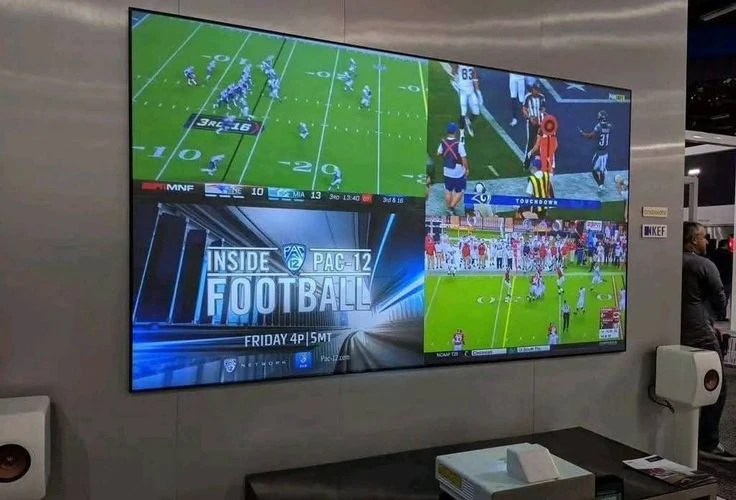 4K Streaming Experience
Transform Your TV withiScreenHD IPTV
Frequently Asked Questions
1. What is the best device for IPTV in 2026?
There is no single universal device. The Amazon Fire TV Stick 4K Max offers the best overall budget value, the Apple TV 4K delivers the fastest user interface and premium build quality, and the NVIDIA SHIELD TV Pro is the ultimate choice for Android power users.
2. Is Firestick good for 4K IPTV?
Yes. The Fire TV Stick 4K and 4K Max are outstanding devices for IPTV streaming. They offer full 4K HEVC decoding, Wi-Fi 6/6E support, and easy access to popular IPTV player applications.
3. Is Apple TV good for IPTV?
Apple TV 4K is exceptional for IPTV streaming. Powered by the A15 Bionic chip, it loads massive channel playlists instantly, runs dedicated tvOS players smoothly, and provides a clean, ad-free interface.
4. Are Android TV boxes better than streaming sticks?
Standalone Android TV boxes generally offer superior performance, more system RAM, expandable USB storage, and built-in Ethernet ports. However, modern streaming sticks like the Fire TV Stick 4K Max offer nearly identical streaming quality in a more compact format.
5. Can I use IPTV directly on my Smart TV?
Yes. Modern Smart TVs from Samsung, LG, Sony, TCL, and Hisense feature compatible IPTV player apps in their native app stores, allowing you to stream without purchasing extra hardware.
6. Do I need a 4K device for 4K IPTV?
Yes. To render true 4K video feeds, your streaming device, HDMI connection, and television display must all support 4K resolution at 60fps.
7. Is Ethernet better than Wi-Fi for IPTV?
Unquestionably. A wired Ethernet connection eliminates wireless radio interference, reduces latency, prevents packet loss, and delivers consistent data throughput for 4K streaming.
8. Does the IPTV player affect streaming quality?
Yes. A well-optimized player application utilizes hardware GPU decoding, manages RAM efficiently, and provides adjustable buffer settings to absorb temporary network fluctuations.
9. Can an old Smart TV handle IPTV?
If an older Smart TV has slow menus or unsupported app stores, plugging an affordable streaming stick (like a Firestick 4K) into its HDMI port completely bypasses the old TV software, restoring fast performance.
10. What should I check before buying an IPTV device?
Verify true 4K resolution support, H.265/AV1 hardware decoding, a minimum of 2 GB of RAM, Wi-Fi 5 or Wi-Fi 6 capability, official DRM certification, and app compatibility with your preferred IPTV player.
Conclusion & Final Recommendations
Selecting the right streaming hardware in 2026 is the foundation of a world-class television experience. Whether you leverage the native simplicity of a modern IPTV Smart TV, enjoy the compact portability of an IPTV Firestick, harness the open flexibility of an IPTV Android TV box, or invest in the premium processing of an IPTV Apple TV, modern devices offer incredible power across every price segment.
By evaluating your network connection, prioritizing hardware video decoding, avoiding cheap uncertified generic boxes, and matching your device to your favorite player application, you can enjoy seamless, buffer-free entertainment for years to come.
When you pair top-tier hardware with a high-performance provider like iScreenHD IPTV, you unlock instant access to thousands of live HD and 4K channels, premium sports broadcasts, and extensive movie libraries worldwide. Ready to elevate your streaming setup? Explore our flexible pricing plans today, check device setup steps in our installation guide, or contact our 24/7 technical team on our support page for personalized assistance!